Skip to content

NEWWhatsApp campaign, inside your POS

Features

The product tour

Every screen, explained.
No guesswork, no training days.

Here is exactly what you and your team will use every shift — and how each screen saves you time.

01

Orders

Every order, every channel, one live list.

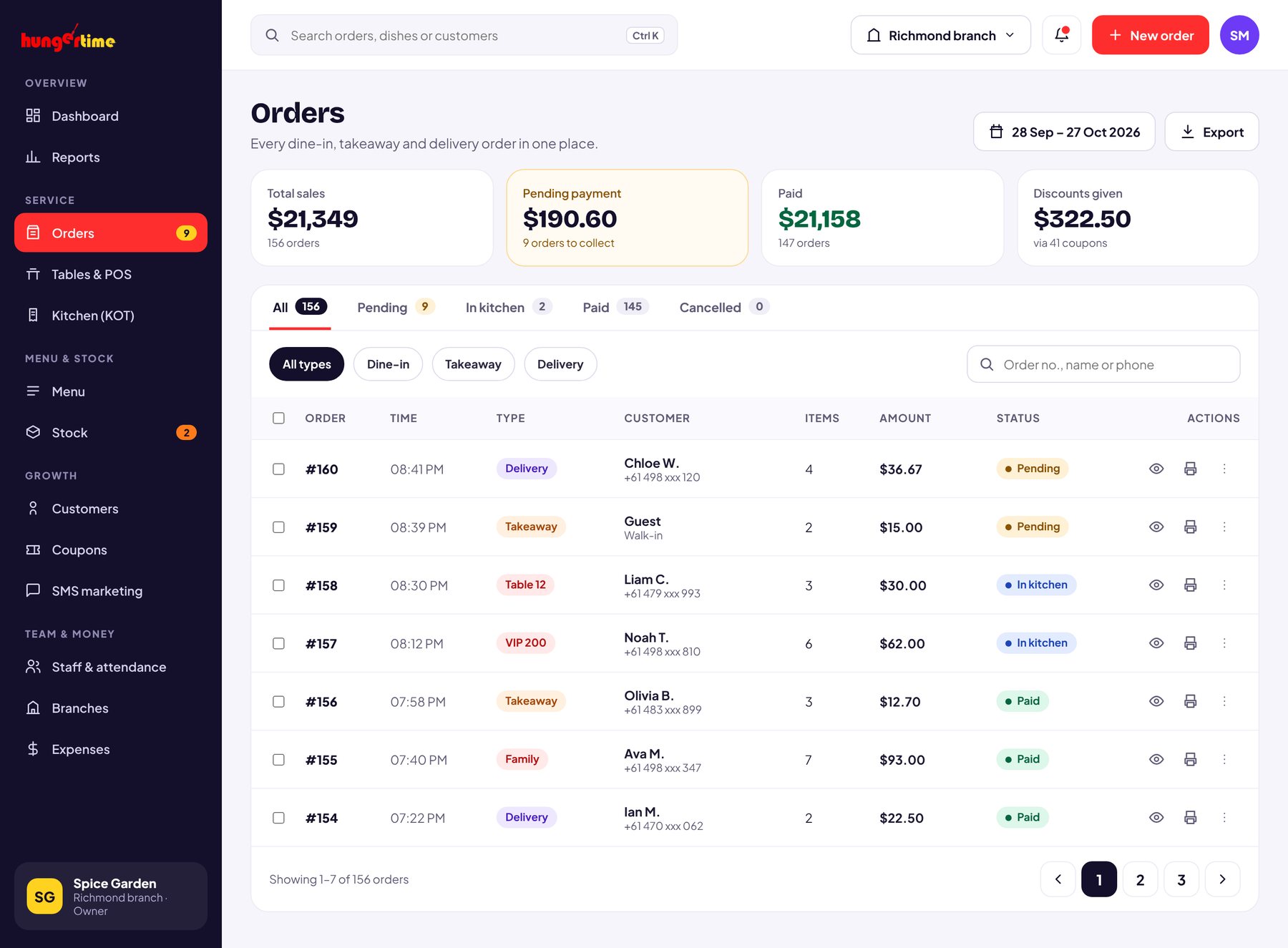
Dine-in, takeaway and delivery orders land in the same list the moment they are placed. Filter by date, search a customer, and open any order for the full bill.

  1. Status at a glance — Pending and Paid pills, changeable in one tap.
  2. View, edit, re-print or refund — from the row’s action icons.
  3. Order details — with items, variations, GST included, discount and KOT status.

02

Tables, QR & KOT

Tap a table. Take the order. The kitchen already knows.

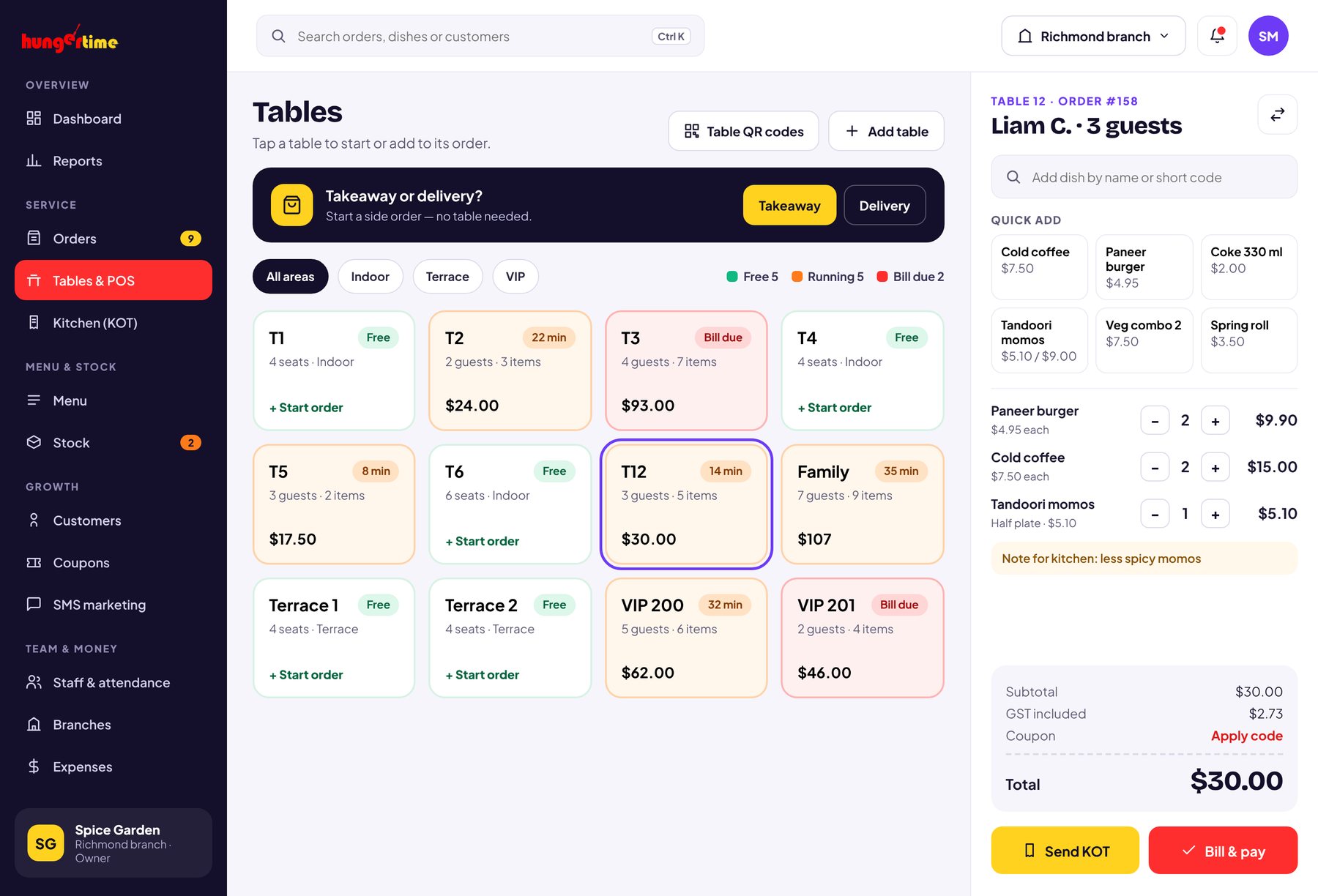
Your floor plan becomes a grid of table cards. Start an order in one tap, run parcel orders without a table, and every order prints a KOT straight to the kitchen.

  1. Live table cards — see which tables are free or running, drag to match your floor.
  2. Side order / takeaway — quick orders with no table needed.
  3. A QR code for every table — click to download and print, guests scan to see the menu.
  4. Kitchen Order Tickets — created automatically, so nothing gets missed.

03

Menu management

Change your menu in seconds, not reprints.

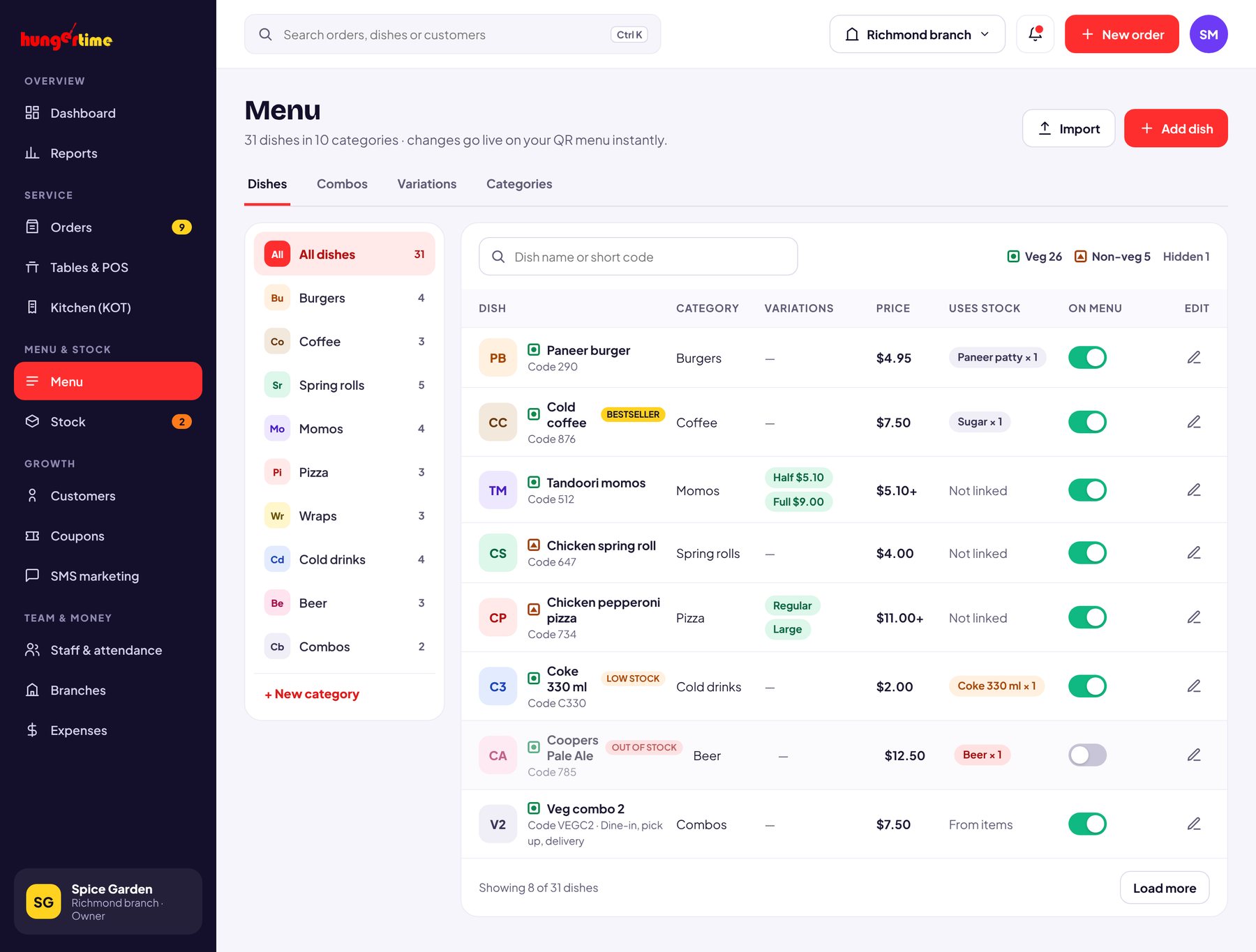
Add dishes, set prices, group them into categories and switch an item off the moment it runs out. Your QR menu updates instantly.

  1. Categories with icons — Burgers, Coffee, Wraps, Spring Rolls and more.
  2. Veg / Non-veg tags, short codes for fast billing, and an on/off switch per item.
  3. Linked ingredients — each sale deducts stock automatically.
  4. Variations & combos — Half plate, Full plate, and combo deals by order type.

04

Stock & inventory

Know you’re running low before your guests do.

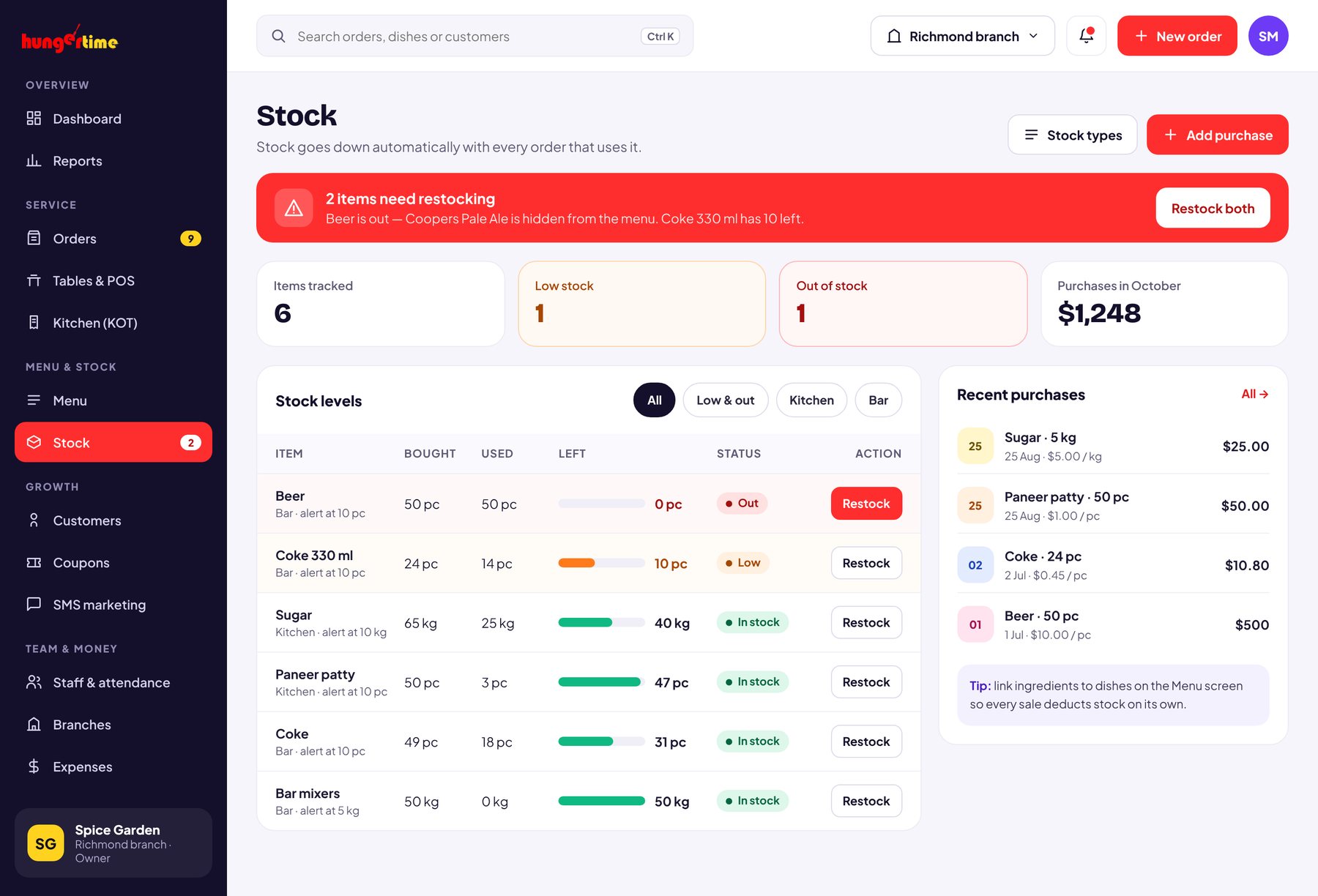
Log every purchase, and Hungertime subtracts what each order uses. Set a threshold and get an alert the moment an item drops below it.

  1. Stock view — total bought, used by orders, and what’s left, per item.
  2. Low-stock and out-of-stock alerts — pop up on every screen.
  3. Purchase log — with stock types, quantities, rates and dates for easy audits.

05

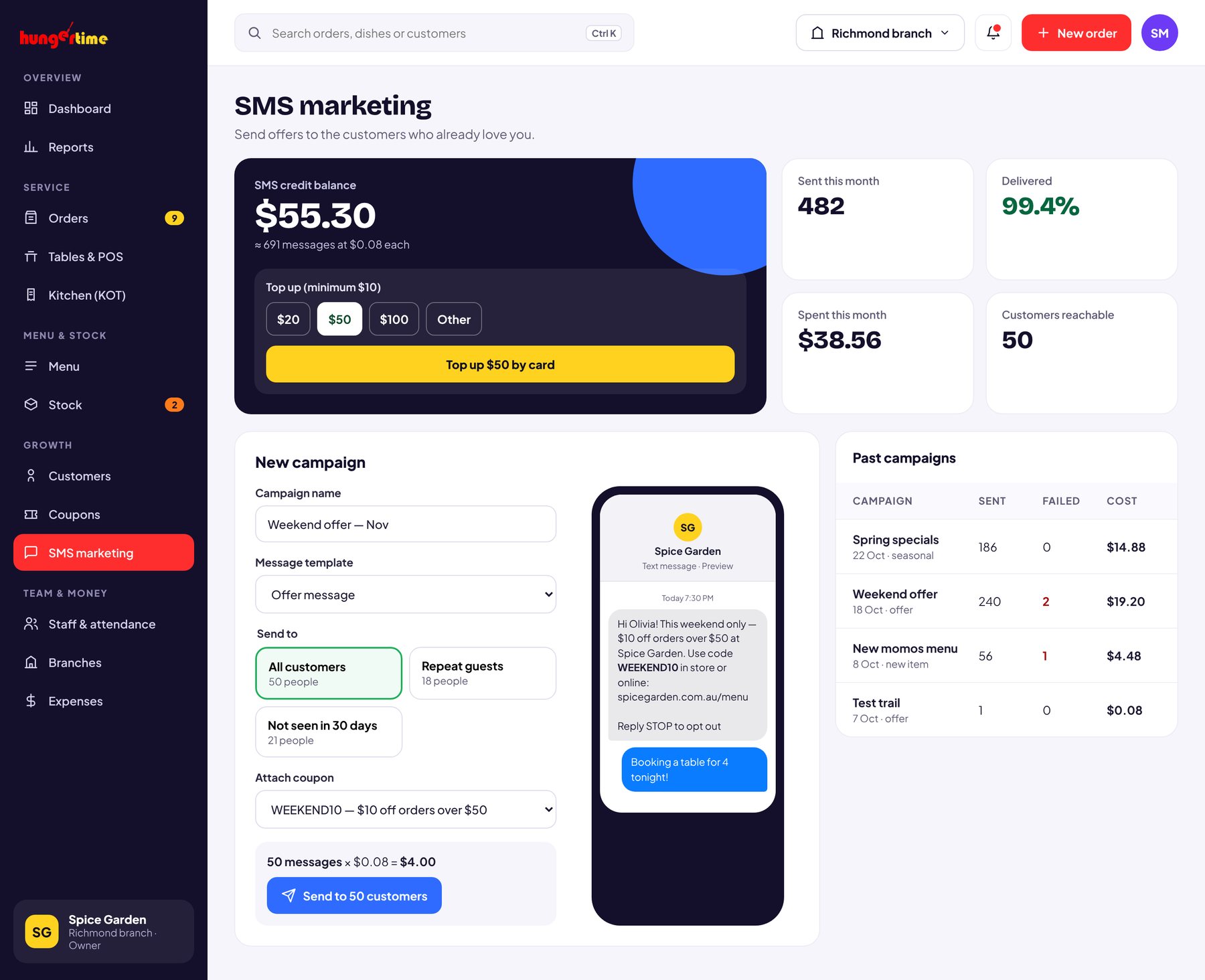
WhatsApp marketing

Bring guests back with one WhatsApp blast.

Every customer who orders is saved to your list. Send offers and festive specials to all of them on WhatsApp, straight from your dashboard — and pay per message from a prepaid wallet.

06

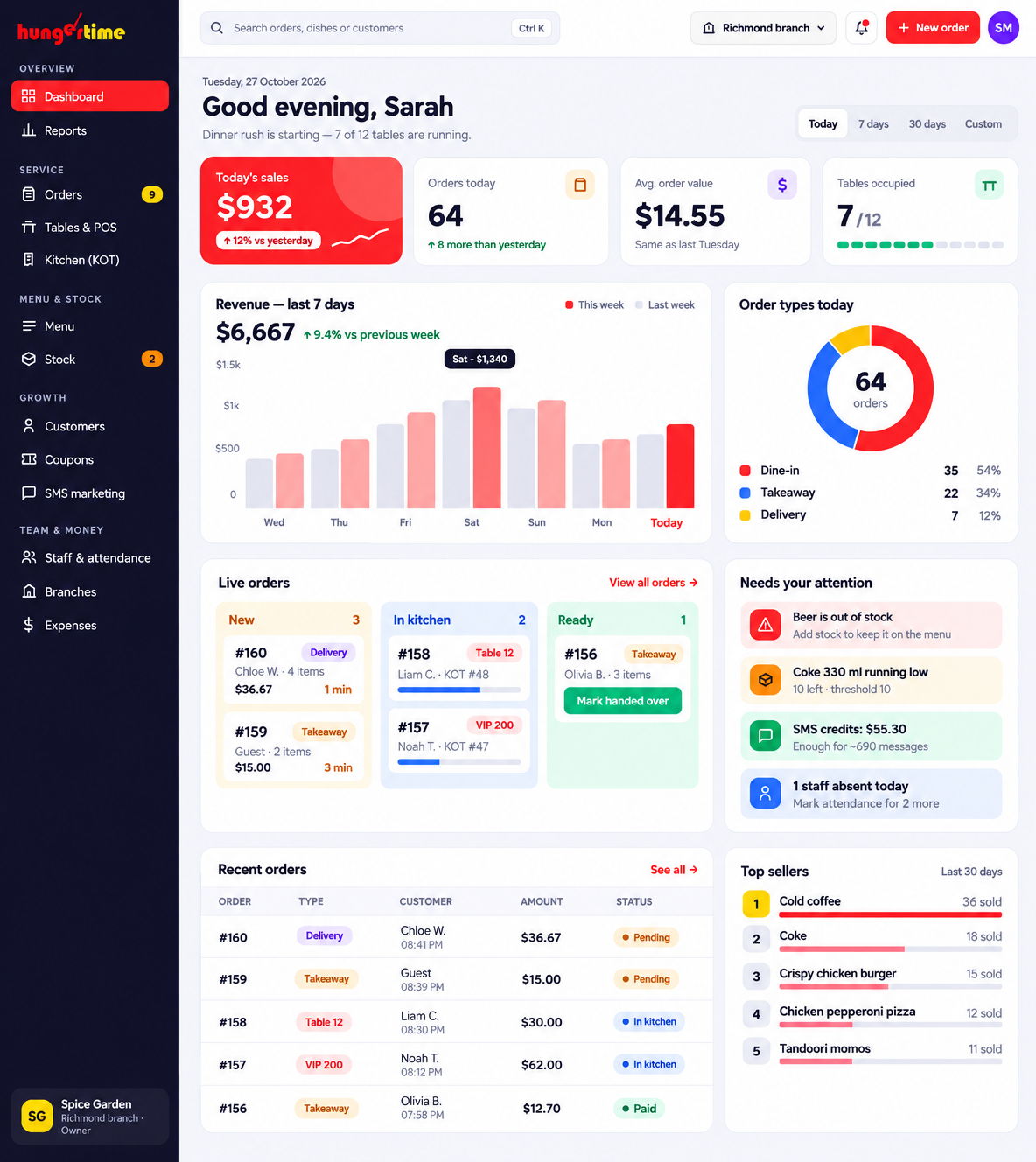
Dashboard & reports

Your day’s numbers, the second you log in.

Today’s sales and order count, how your orders split between dine-in, delivery and takeaway, a 7-day revenue trend and your best-selling dishes — all on the first screen.

  1. Today at a glance — total amount and orders, updated live.
  2. Popular orders — which items sell most, and how much they earn.
  3. Orders report — filter by date, status and type; track totals, discounts and collections.