The product tour
Here is exactly what you and your team will use every shift — and how each screen saves you time.
01
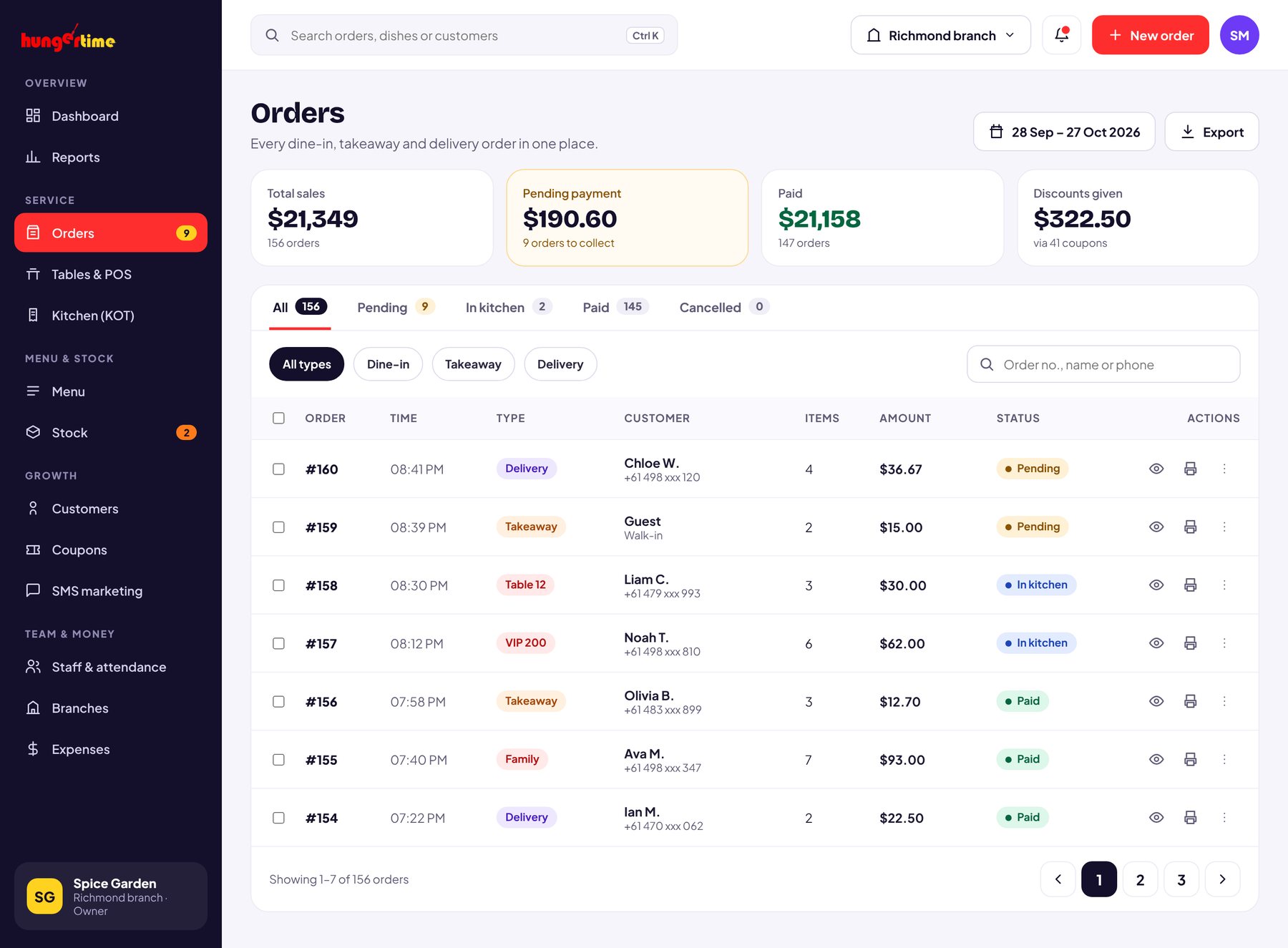
Orders
Dine-in, takeaway and delivery orders land in the same list the moment they are placed. Filter by date, search a customer, and open any order for the full bill.
02
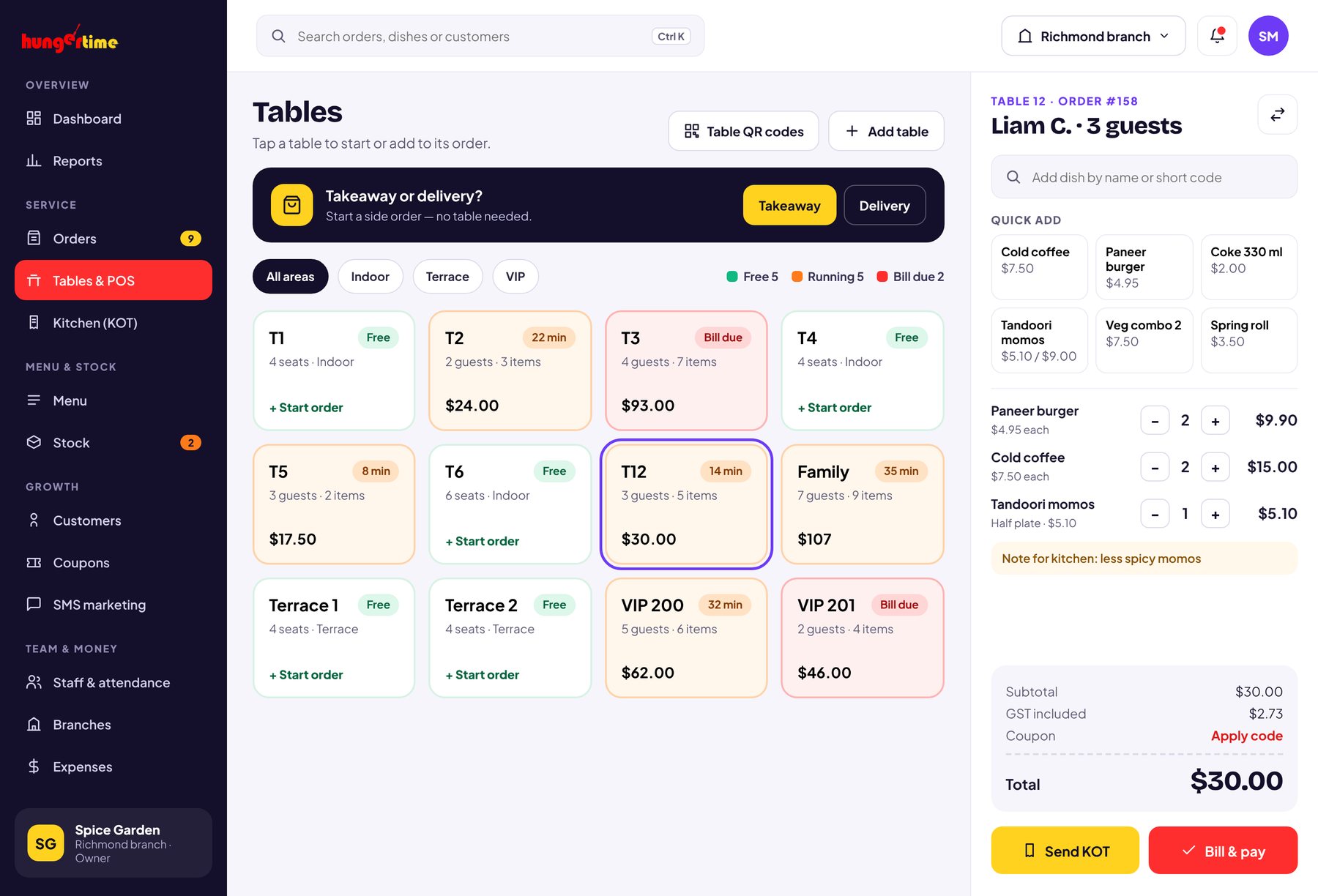
Tables, QR & KOT
Your floor plan becomes a grid of table cards. Start an order in one tap, run parcel orders without a table, and every order prints a KOT straight to the kitchen.
03
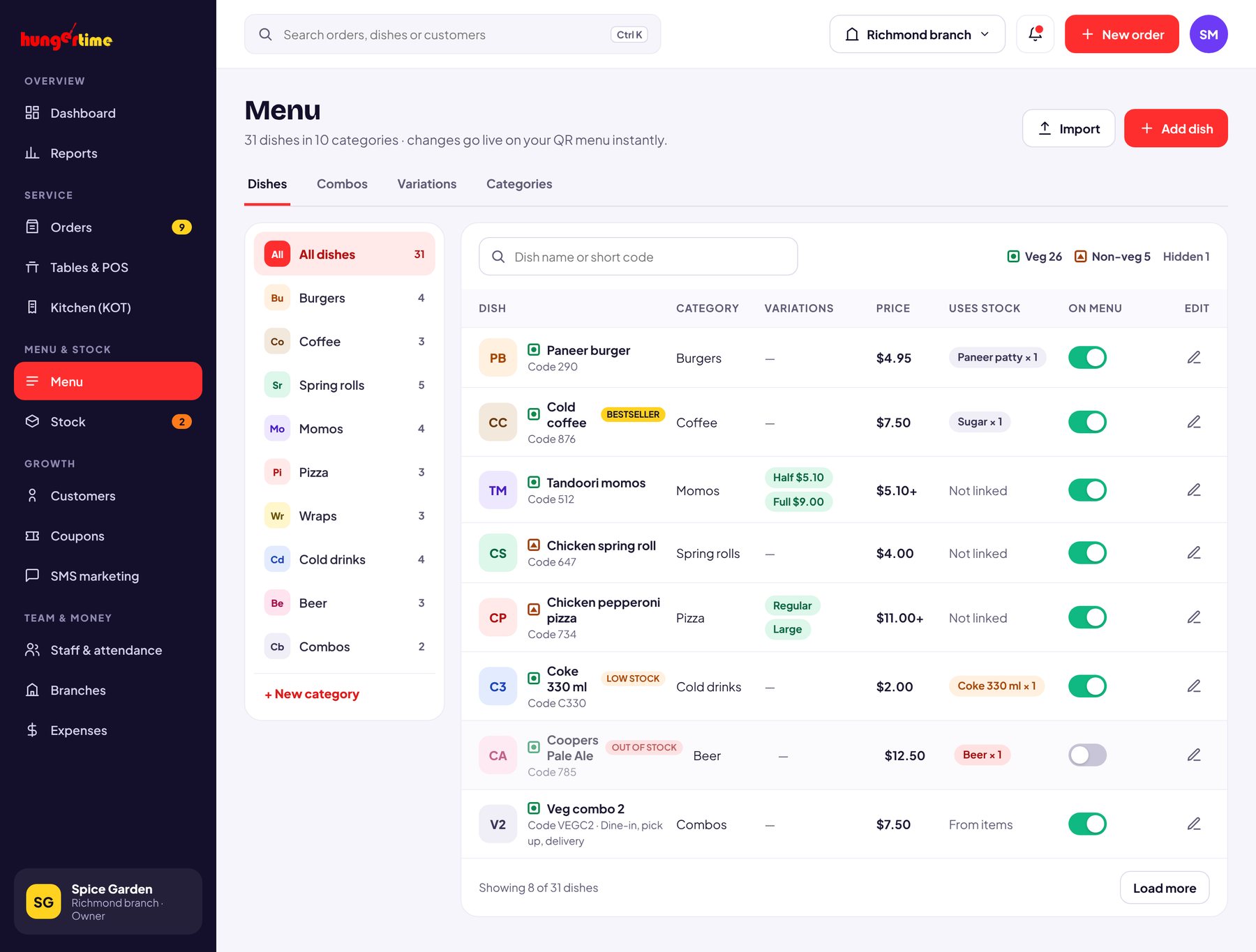
Menu management
Add dishes, set prices, group them into categories and switch an item off the moment it runs out. Your QR menu updates instantly.
04
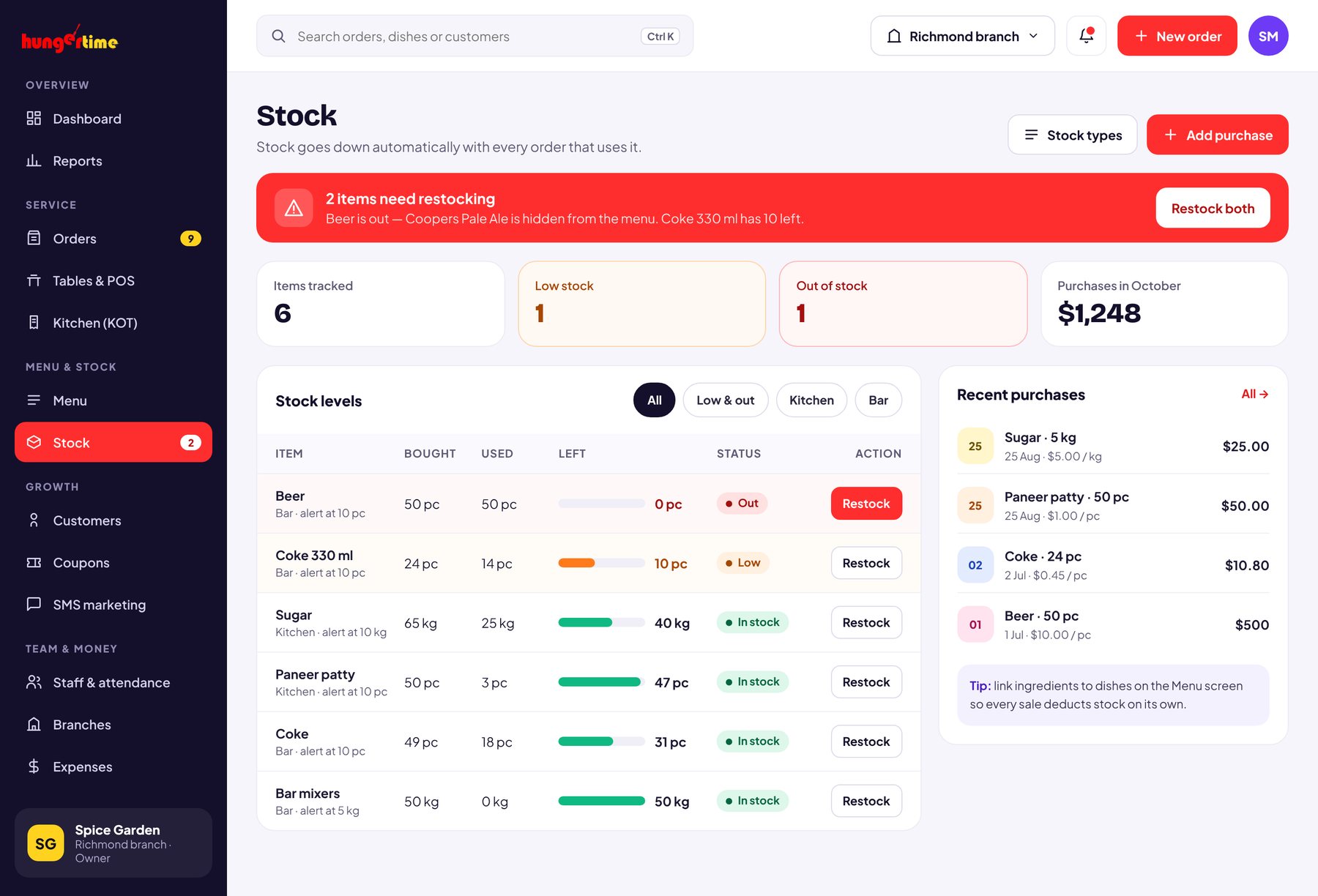
Stock & inventory
Log every purchase, and Hungertime subtracts what each order uses. Set a threshold and get an alert the moment an item drops below it.
05
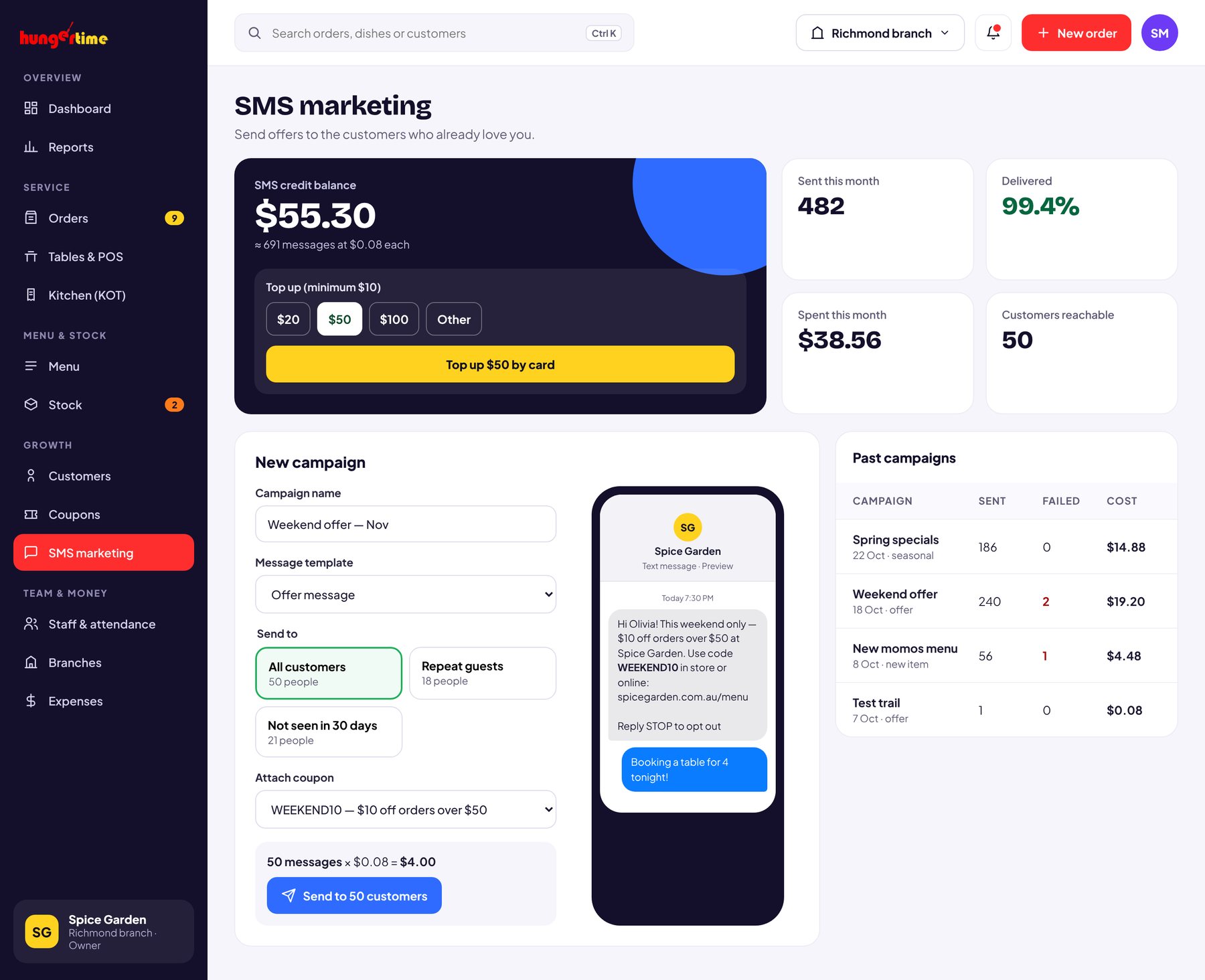
WhatsApp marketing
Every customer who orders is saved to your list. Send offers and festive specials to all of them on WhatsApp, straight from your dashboard — and pay per message from a prepaid wallet.
06
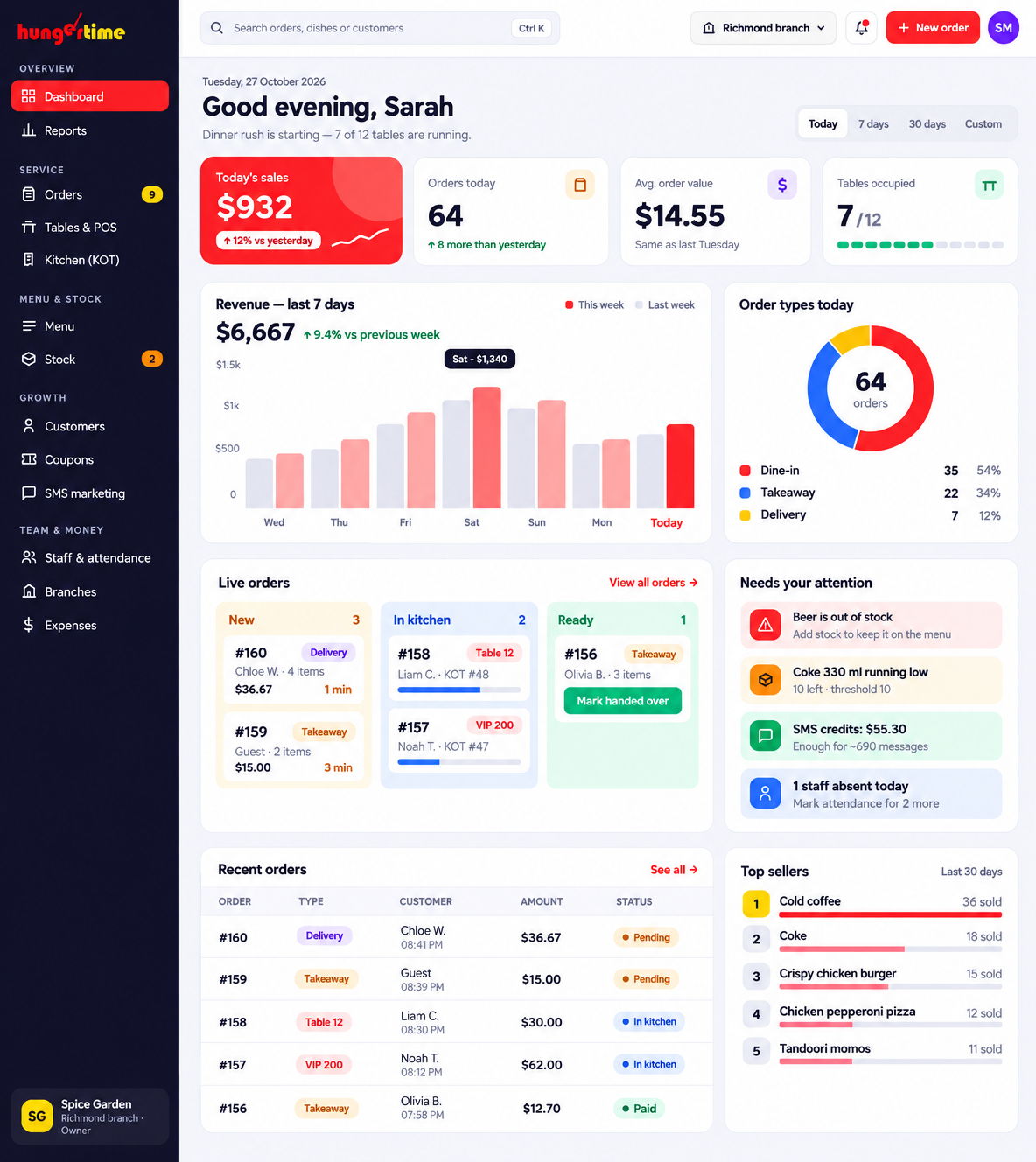
Dashboard & reports
Today’s sales and order count, how your orders split between dine-in, delivery and takeaway, a 7-day revenue trend and your best-selling dishes — all on the first screen.